Professional reports from your ArcGIS data
Design your template. Connect your data. Export with a click. No new editor to learn.
You already know how to make reports. The hard part is getting the data in.
GIS professionals spend hours every week exporting maps, copying data into Word, reformatting tables, and repositioning images. When the data changes, the whole process starts again.
Export, paste, reformat, repeat
Every map and dataset needs manual export and careful placement in your document.
Layout breaks every time
Map proportions change, tables shift, and formatting never survives the round-trip.
Data changes? Start over.
When the underlying data updates, there is no way to regenerate. You redo the whole report.
Three steps. That's it.
Use the Word templates you already have. Reports handles the rest.
Upload your template
Upload a Word document with placeholders like {{PROJECT_NAME}}. Reports detects them automatically.
Connect your data
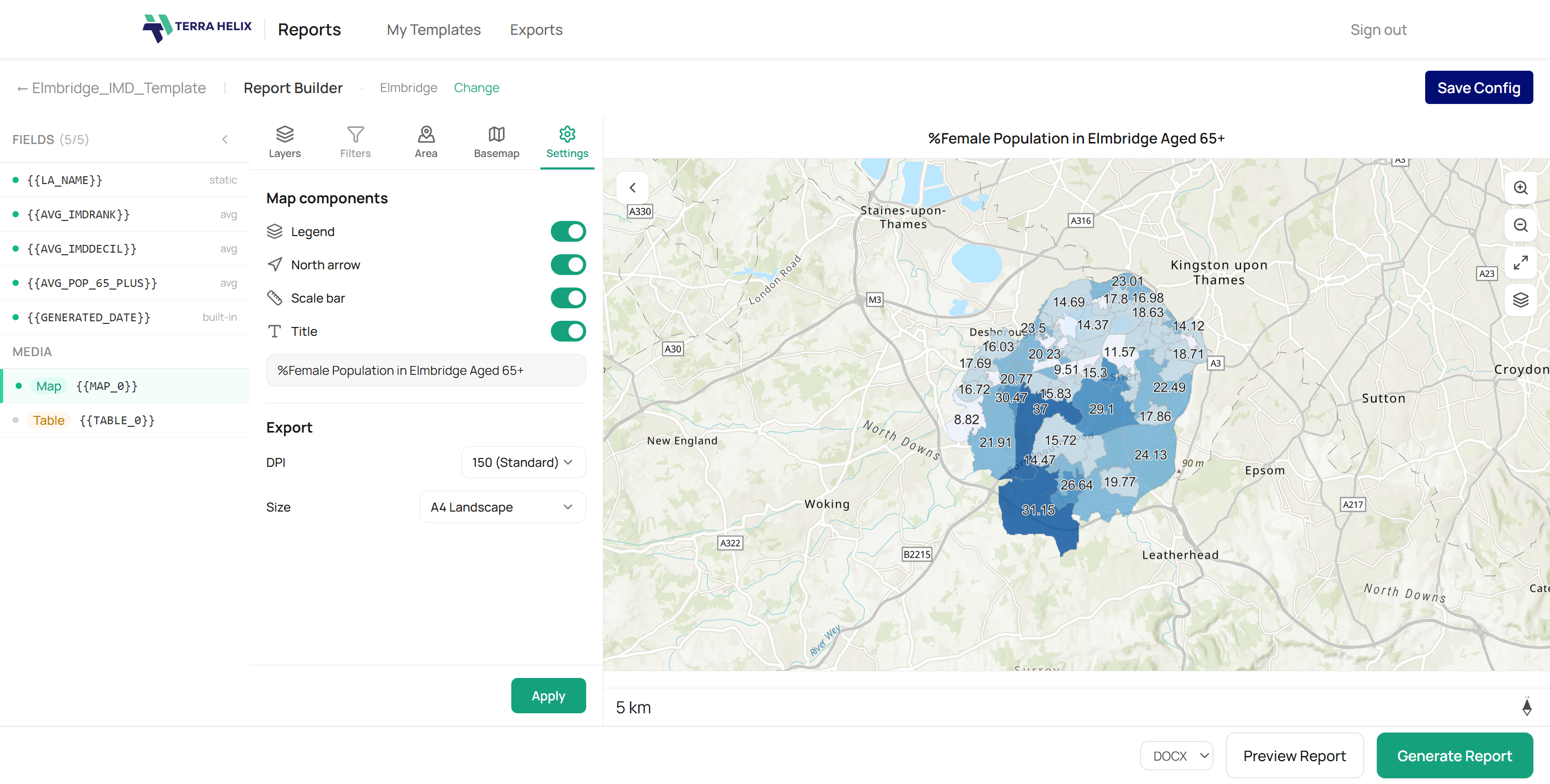
Sign in with ArcGIS Online. Map each placeholder to a field in your feature layer or web map. Configure maps and tables visually.
Export and go
Generate your report as Word, Excel, or PDF. Save the configuration and re-run it any time your data updates.
ESMapp
We integrated Reports into ESMapp, a platform used by environmental teams on live rail infrastructure projects. This gave users the ability to download Environmental Site Assessments and Project Reports as Word and Excel files directly from their GIS data — making reports faster to produce, easier to customise, and accessible to team members who don't use GIS tools.
Powered by AI
Reports uses AI to reduce setup time and help you get from template to finished report faster.
Auto-match fields
Reports suggests which data fields map to which placeholders based on naming patterns, so you spend less time on manual configuration.
Intelligent defaults
Map extents, buffer distances, and layer visibility are pre-configured based on your data's spatial properties. Adjust if needed, or just go with it.
Natural language filtering
Describe the records you want in plain English. Reports translates that into the right query against your feature layer.
Your reports, your format
Export to the format that fits your workflow. Same template, multiple outputs.
Word
Preserves your original template formatting, styles, headers, and footers. Ready for final editing or client handover.
Excel
Tabular data exported cleanly into spreadsheets. Useful for data review, further analysis, or handover to non-GIS teams.
Locked-down, professional output for submission, archiving, or distribution. What you see is what they get.
Built for how you actually work
Reports fits into your existing workflow rather than replacing it.
Template-first
Design your template. Add placeholders, upload, and Reports does the rest. No new editor to learn.
ArcGIS Online integration
Connect directly to your ArcGIS Online account. Pull from feature layers, web maps, and hosted services.
Maps and tables
Configure map views with basemaps, buffers, and layer visibility. Insert data tables with field selection and filtering.
Saved configurations
Save your report setup and re-run it any time. When your data updates, your report updates. One click.
Single, grouped, or all records
Generate a report for one feature, a filtered group, or every record in the layer. Same template, different scope.
Multiple maps per report
Include several map frames in a single template, each with its own layers, extent, and buffer settings.
Stop assembling reports manually
Reports is currently in early access. Leave your email and we will be in touch.